
English

ខ្មែរ

Japanese
|
English |
ខ្មែរ |
Japanese |
Thank you to all our contributors, users, and supporters for making this project thrive.
🚀 Stay tuned for more updates, features, and improvements.
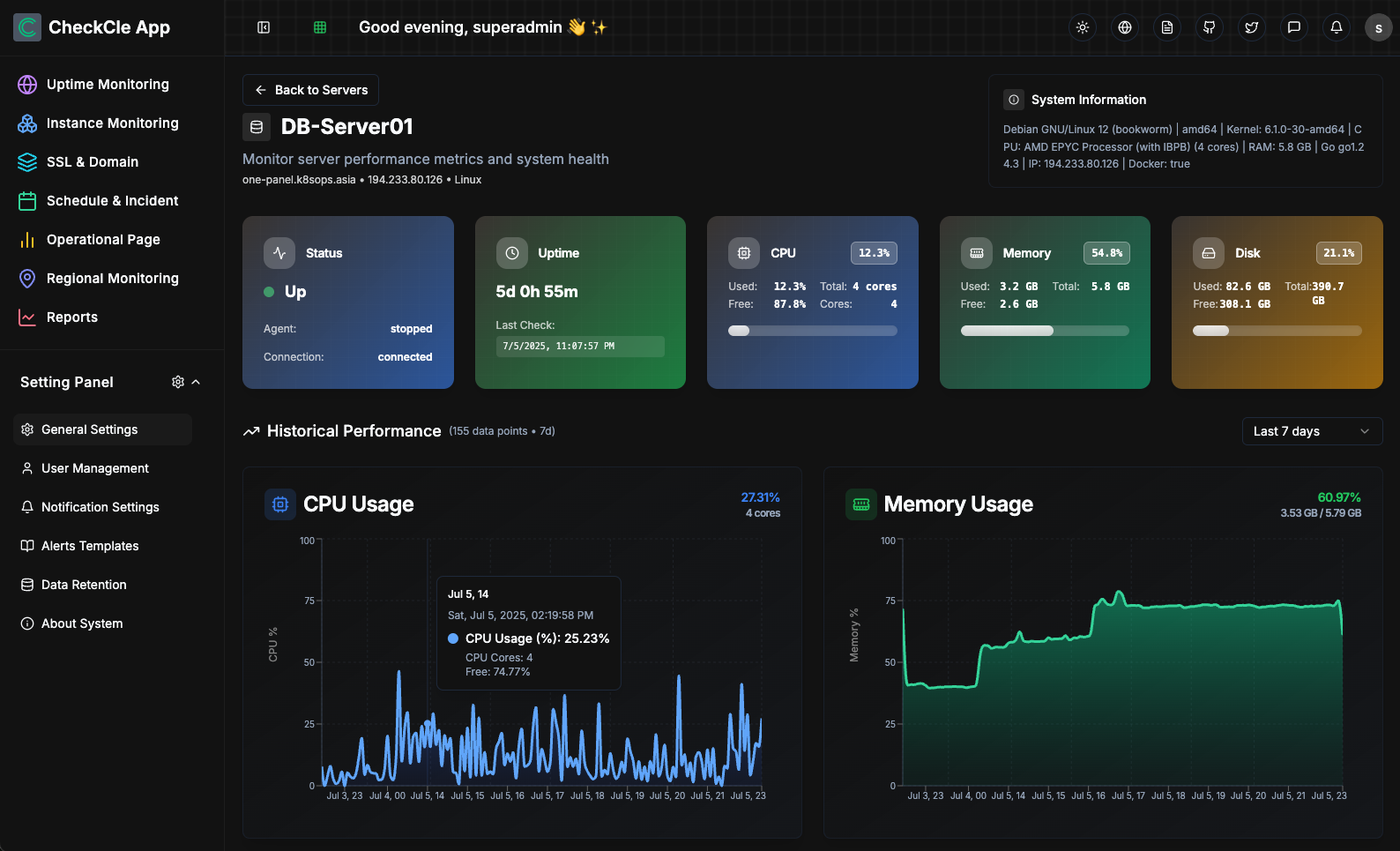 # 🚀 What is CheckCle? CheckCle is an Open Source solution for seamless, real-time monitoring of full-stack systems, applications, and infrastructure. It provides developers, sysadmins, and DevOps teams with deep insights and actionable data across every layer of their environment—whether it's servers, applications, or services. With CheckCle, you gain visibility, control, and the ability to ensure optimal performance throughout your entire technology stack. ## 🎯 Live Demo 👉 **Try it now:** [CheckCle Live Demo](https://demo.checkcle.io) User: admin@example.com | Passwd: Admin123456 ## 🌟 Core Features ### 📝 Roadmap : [DEVELOPMENT_ROADMAP](docs/DEVELOPMENT_ROADMAP.md) ### Uptime Services & Infrastructure Server Monitoring - Monitor HTTP, DNS, and Ping protocols - Monitor TCP-based, API services (e.g., FTP, SMTP, HTTP) - Track detail uptime, response times, and performance issues - Distributed Regional Monitoring - Incident History (UP/DOWN/WARNING/PAUSE) - SSL & Domain Monitoring (Domain, Issuer, Expiration Date, Days Left, Status, Last Notified) - Infrastructure Server Monitoring, Supports Linux (🐧 Debian, Ubuntu, CentOS, Red Hat, etc.) and Windows (Beta). And Servers metrics like CPU, RAM, disk usage, and network activity) with an one-line installation angent script. - Schedule Maintenance & Incident Management - Operational Status / Public Status Pages - Notifications via email, Telegram, Discord, and Slack - Reports & Analytics - Settings Panel (User Management, Data Retention, Multi-language, Themes (Dark & Light Mode), Notification and channels and alert templates). ## #️⃣ Getting Started ### Current Architecture Support * ✅ x86_64 PCs, laptops, servers (amd64) * ✅ Modern Raspberry Pi 3/4/5 with (64-bit OS), Apple Silicon Macs (arm64) ### Install CheckCle using one of the following methods: 1. Install with Docker Compose Configuration (Recommended) ```bash version: '3.9' services: checkcle: image: operacle/checkcle:latest container_name: checkcle restart: unless-stopped ports: - "8090:8090" # Web Application volumes: - /opt/pb_data:/mnt/pb_data # Host directory mapped to container path ulimits: nofile: soft: 4096 hard: 8192 ``` 2. Install with docker run. Just copy ready docker run command below ```bash docker run -d \ --name checkcle \ --restart unless-stopped \ -p 8090:8090 \ -v /opt/pb_data:/mnt/pb_data \ --ulimit nofile=4096:8192 \ operacle/checkcle:latest ``` 3. Admin Web Management Default URL: http://0.0.0.0:8090 User: admin@example.com Passwd: Admin123456 4. Follow the Quick Start Guide at https://docs.checkcle.io ### 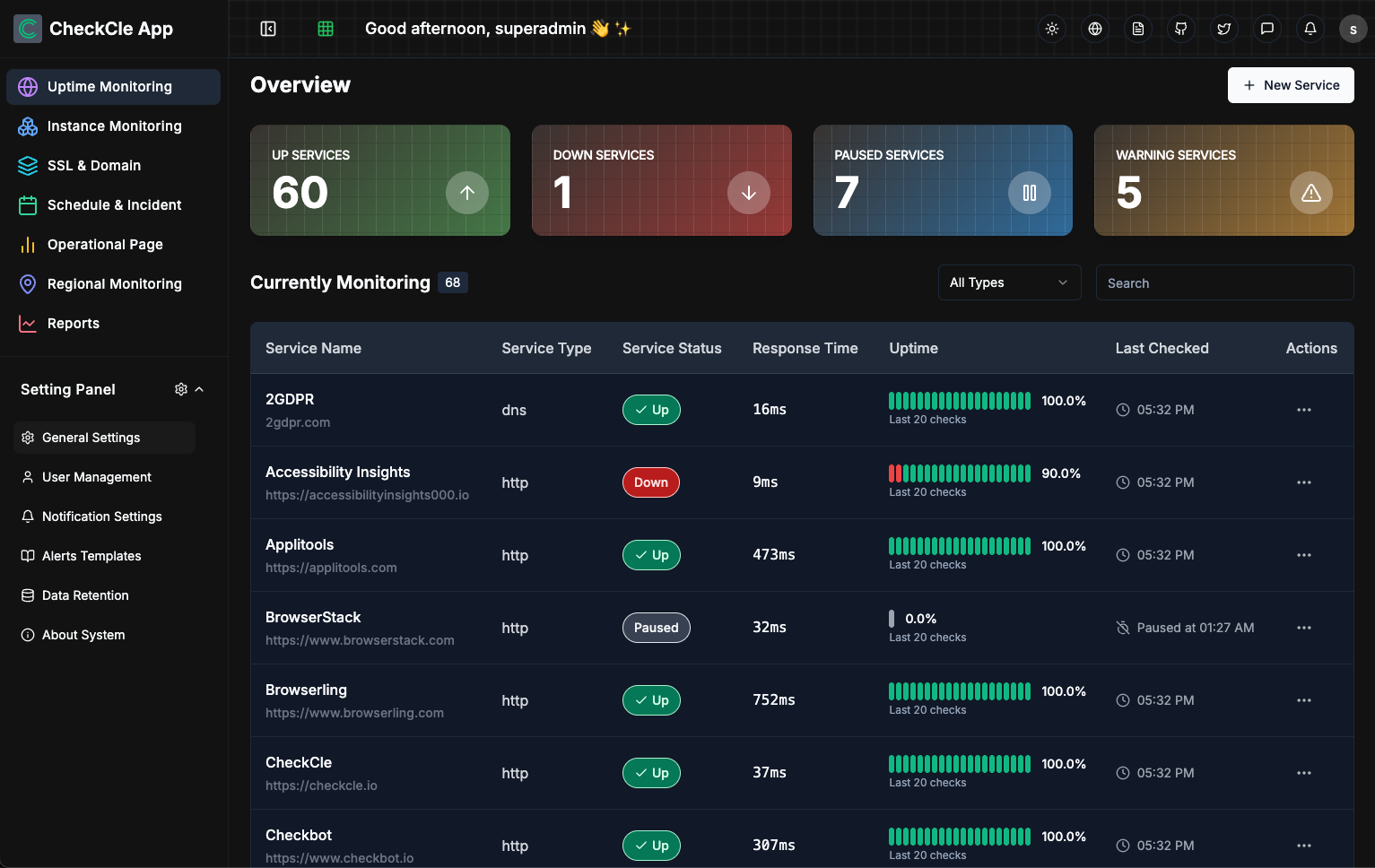 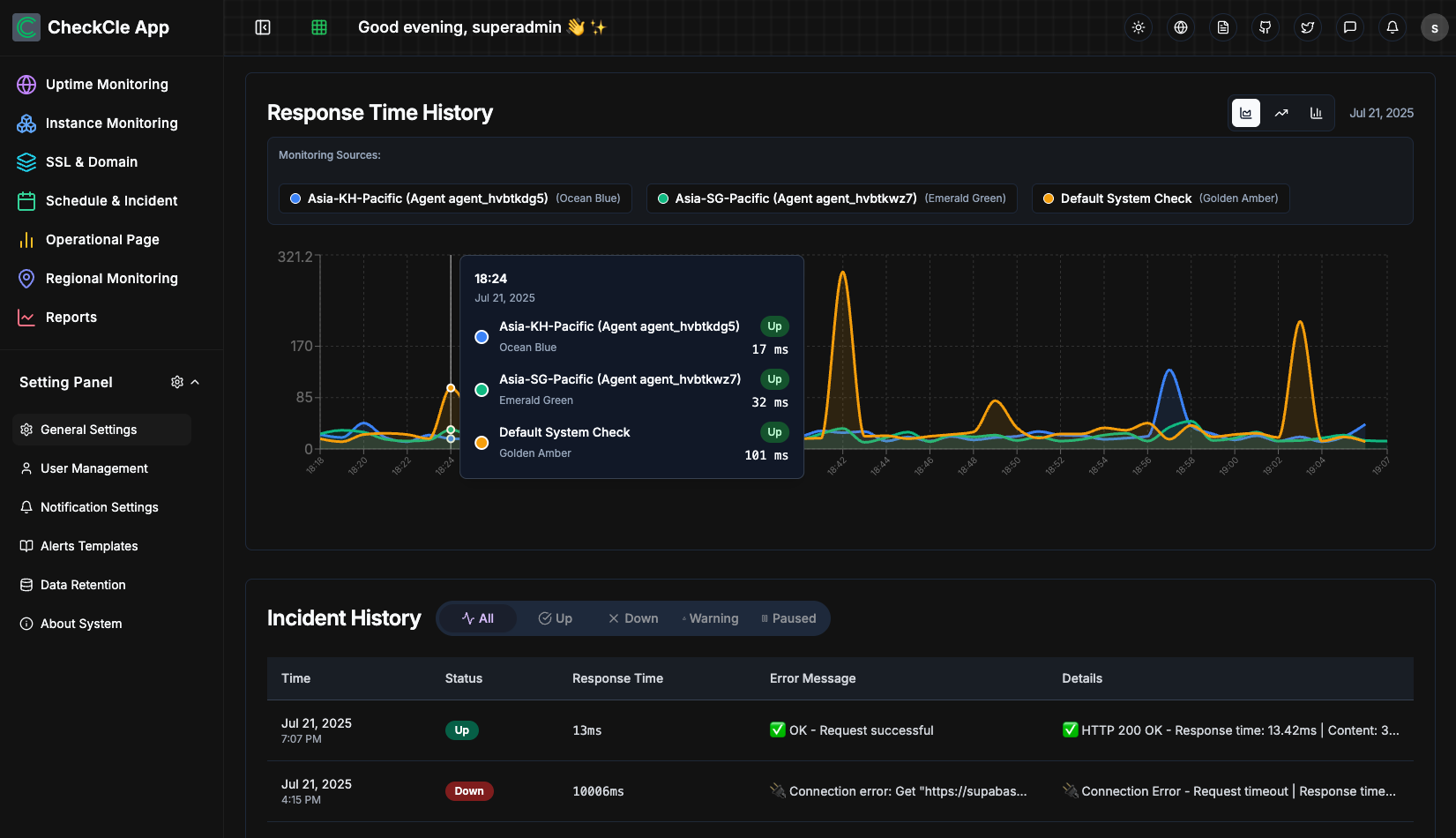 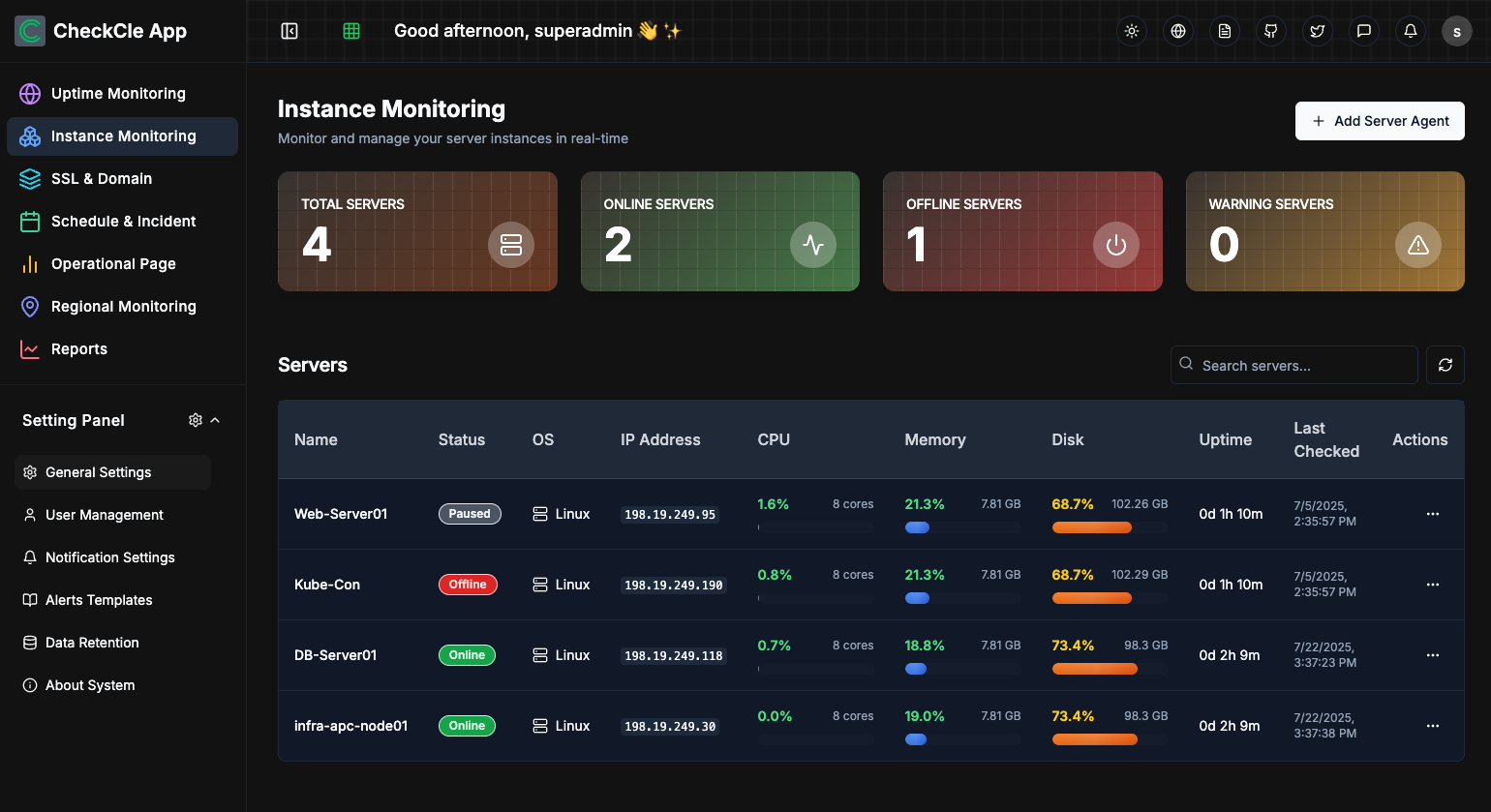 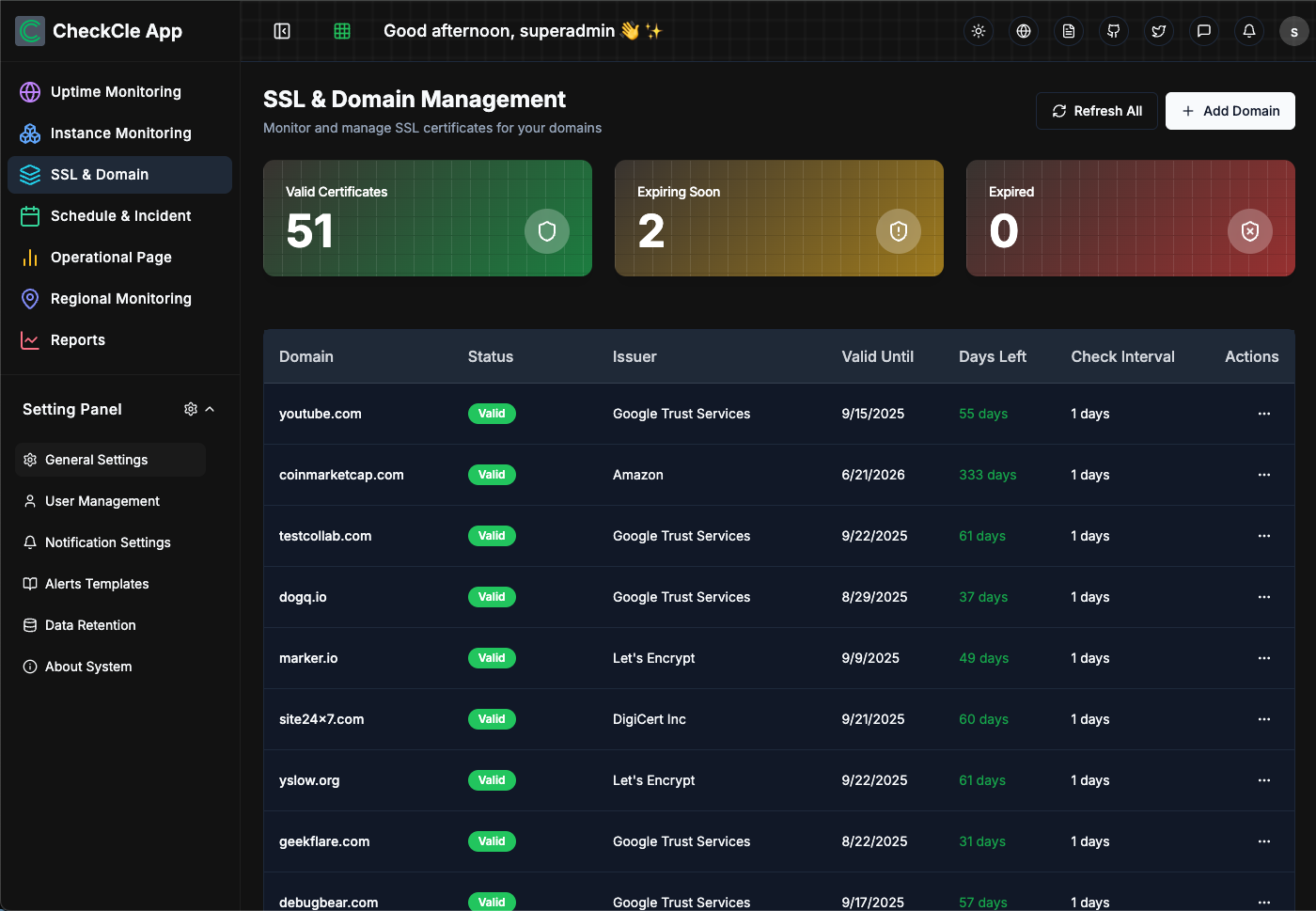 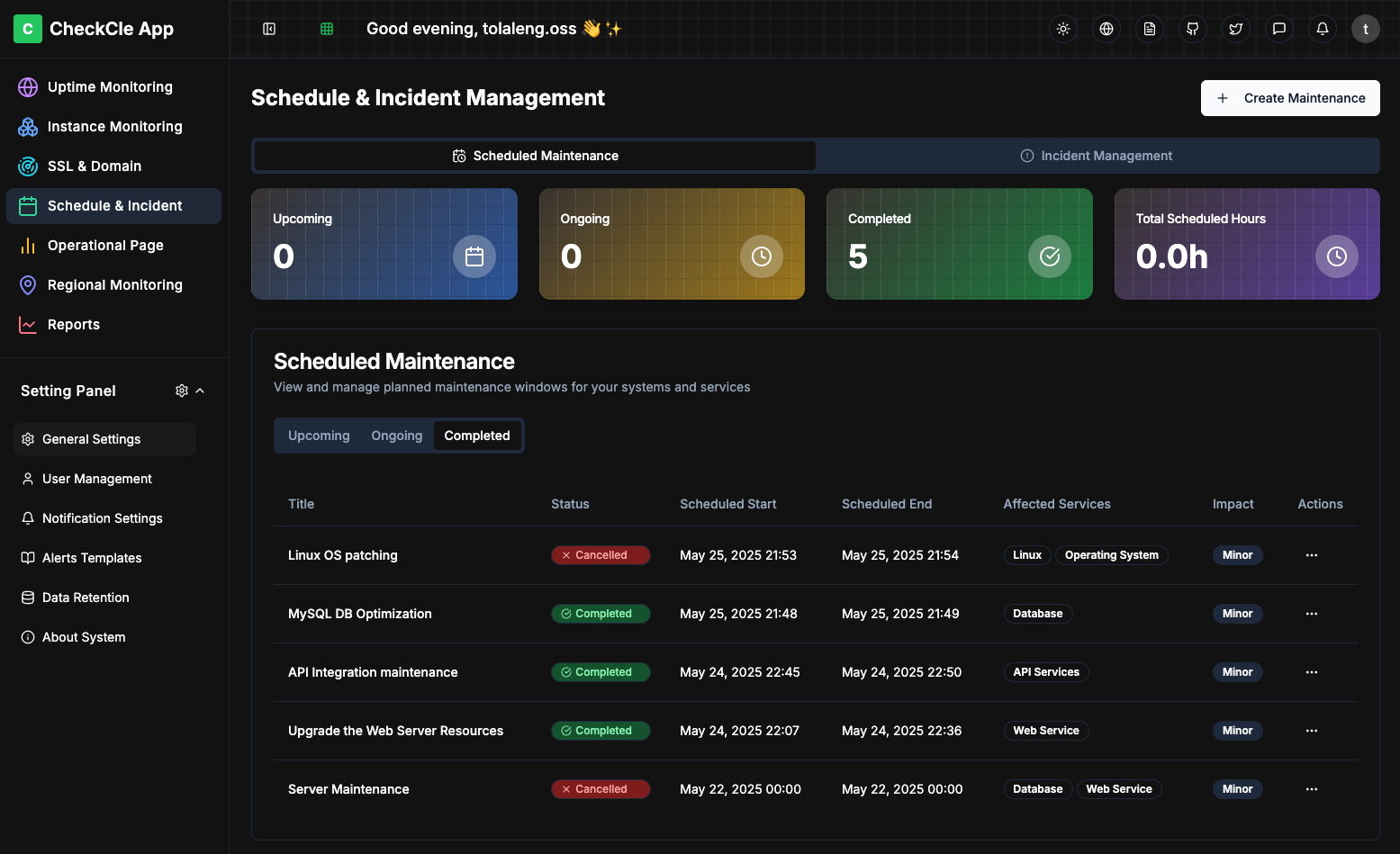 ## 🌟 CheckCle for Communities? - **Built with Passion**: Created by an open-source enthusiast for the community - **Free & Open Source**: Completely free to use with no hidden costs - **Collaborate & Connect**: Meet like-minded people passionate about Open Source --- ## Sponsors 🙏 We're incredibly thankful to our sponsors. Your contributions enable us to maintain infrastructure (hosting, domains), run tests, and continue developing valuable features. ### 🥈 Silver Uptime Ally ### 🧡 Ping Supporter
 ### 🤝 Ecosystem & Community Partner
 ---
## 👥 Contributors
Thank you for contributing and continuously making CheckCle better, you're awesome 🫶
[](https://github.com/operacle/checkcle/graphs/contributors)
---
## 🤝 Ways to Contribute
Here are some ways you can help improve CheckCle:
- 🐞 **Report Bugs** – Found a glitch? Let us know by opening a [GitHub Issue](https://github.com/operacle/checkcle/issues).
- 🌟 **Suggest Features** – Have an idea? Start a [Discussion](https://github.com/operacle/checkcle/discussions) or open a Feature Request issue.
- 🛠 **Submit Pull Requests** – Improve the code, fix bugs, add features, or enhance the docs.
- 📝 **Improve Documentation** – Even a typo fix helps!
- 🌍 **Spread the Word** – Star ⭐ the [CheckCle](https://github.com/operacle/checkcle.git) repo, share it on socials, and invite others to contribute!
---
## 🌍 Stay Connected
- Website: [checkcle.io](https://checkcle.io)
- Documentation: [docs.checkcle.io](https://docs.checkcle.io) | Big thanks to [GitBook](https://github.com/gitbookio) for sponsoring the OSS site plan for CheckCle!
- Chat on Discord: Join our community [@discord](https://discord.gg/xs9gbubGwX)
- Follow us on X: [@checkcle_oss](https://x.com/checkcle_oss)
## 📜 License
CheckCle is released under the MIT License.
---
---
## 👥 Contributors
Thank you for contributing and continuously making CheckCle better, you're awesome 🫶
[](https://github.com/operacle/checkcle/graphs/contributors)
---
## 🤝 Ways to Contribute
Here are some ways you can help improve CheckCle:
- 🐞 **Report Bugs** – Found a glitch? Let us know by opening a [GitHub Issue](https://github.com/operacle/checkcle/issues).
- 🌟 **Suggest Features** – Have an idea? Start a [Discussion](https://github.com/operacle/checkcle/discussions) or open a Feature Request issue.
- 🛠 **Submit Pull Requests** – Improve the code, fix bugs, add features, or enhance the docs.
- 📝 **Improve Documentation** – Even a typo fix helps!
- 🌍 **Spread the Word** – Star ⭐ the [CheckCle](https://github.com/operacle/checkcle.git) repo, share it on socials, and invite others to contribute!
---
## 🌍 Stay Connected
- Website: [checkcle.io](https://checkcle.io)
- Documentation: [docs.checkcle.io](https://docs.checkcle.io) | Big thanks to [GitBook](https://github.com/gitbookio) for sponsoring the OSS site plan for CheckCle!
- Chat on Discord: Join our community [@discord](https://discord.gg/xs9gbubGwX)
- Follow us on X: [@checkcle_oss](https://x.com/checkcle_oss)
## 📜 License
CheckCle is released under the MIT License.
---